Skip to dashboardCulver, INChecking local weather…2 nearby devices to review
2 at home · Last scan 2 min ago
Your connected home
Your home, at a glance.
HomeLinQ Hub connectedL PERIMETER AWARENESSA little peace of mind. All around home.
Your property, connected devices, and nearby activity.
Home KnownNeeds reviewCamera Lakeside property · Device positions are approximate. Your saved boundary defines the monitored area.
Digital Defender
Blocked a scan attempt from Unknown speaker · 48 min ago
1blocked · 6 attemptsReview Home mode & routinesLighting, locks & comfort
Home routineShared-room lights at 65%, bedroom and outdoor lights off, thermostat at 72°F. Locks stay as they are.
Sensors, outlets, and camera settings stay unchanged. Offline devices are skipped. You can adjust individual devices after a routine runs.
Choose a mode to apply its routine, or run the current routine now.
Cameras
See what is happening.
Supported camera views, together in one calm place.
Front doorFront porch 2 min ago Great roomMain floor 18 min ago Lakeside deckDeck 46 min ago GarageDetached garage 34 min ago 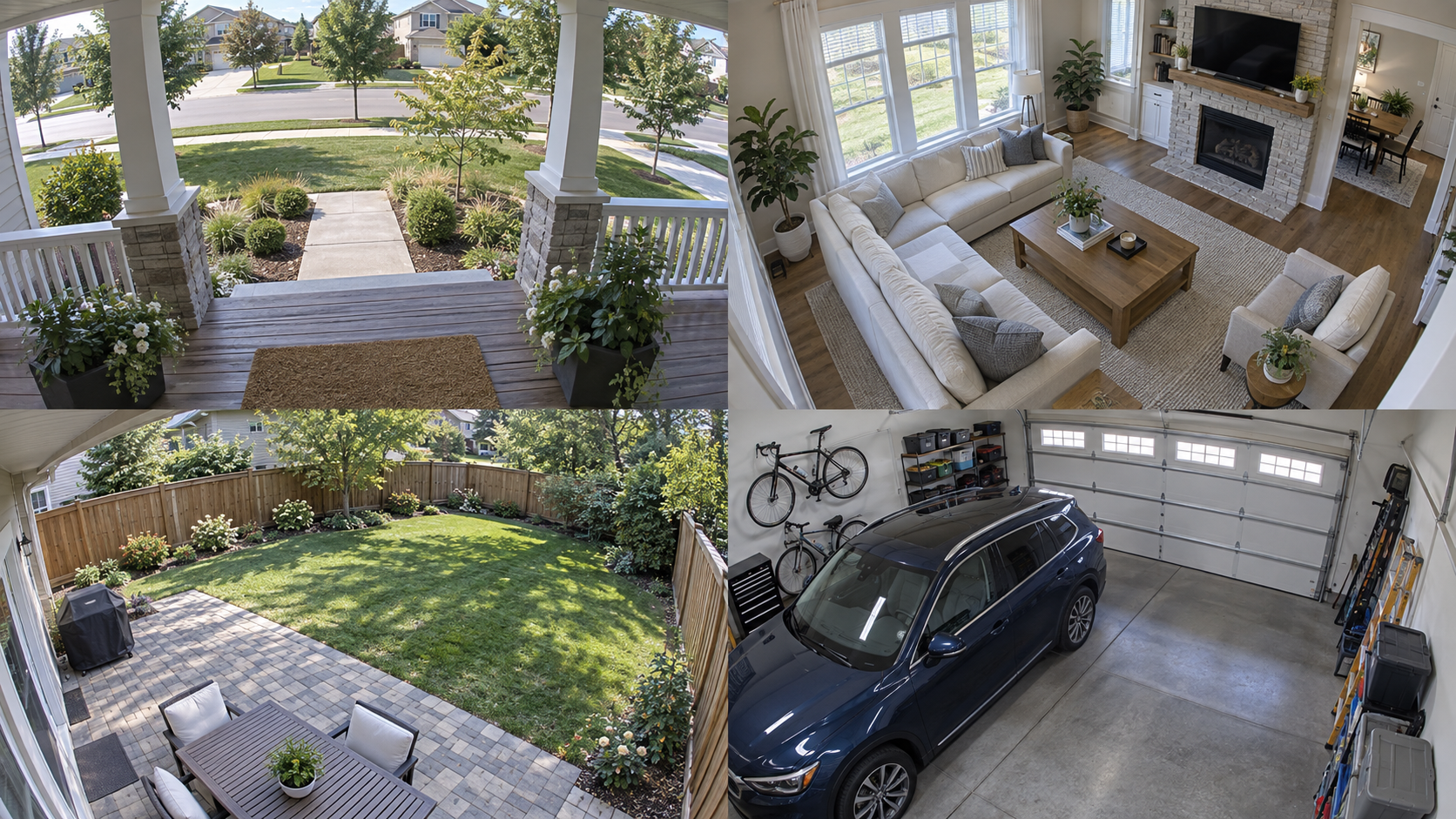
 L
L